Search
Ctrl + K (on a Mac ⌘ + K) or the search field at the top opens search. It finds contacts, companies, deals, quotes and products by name, email address, phone number, UID (VAT identification number) and quote number. Typos and umlauts are no problem: “Mueller” finds “Müller”.
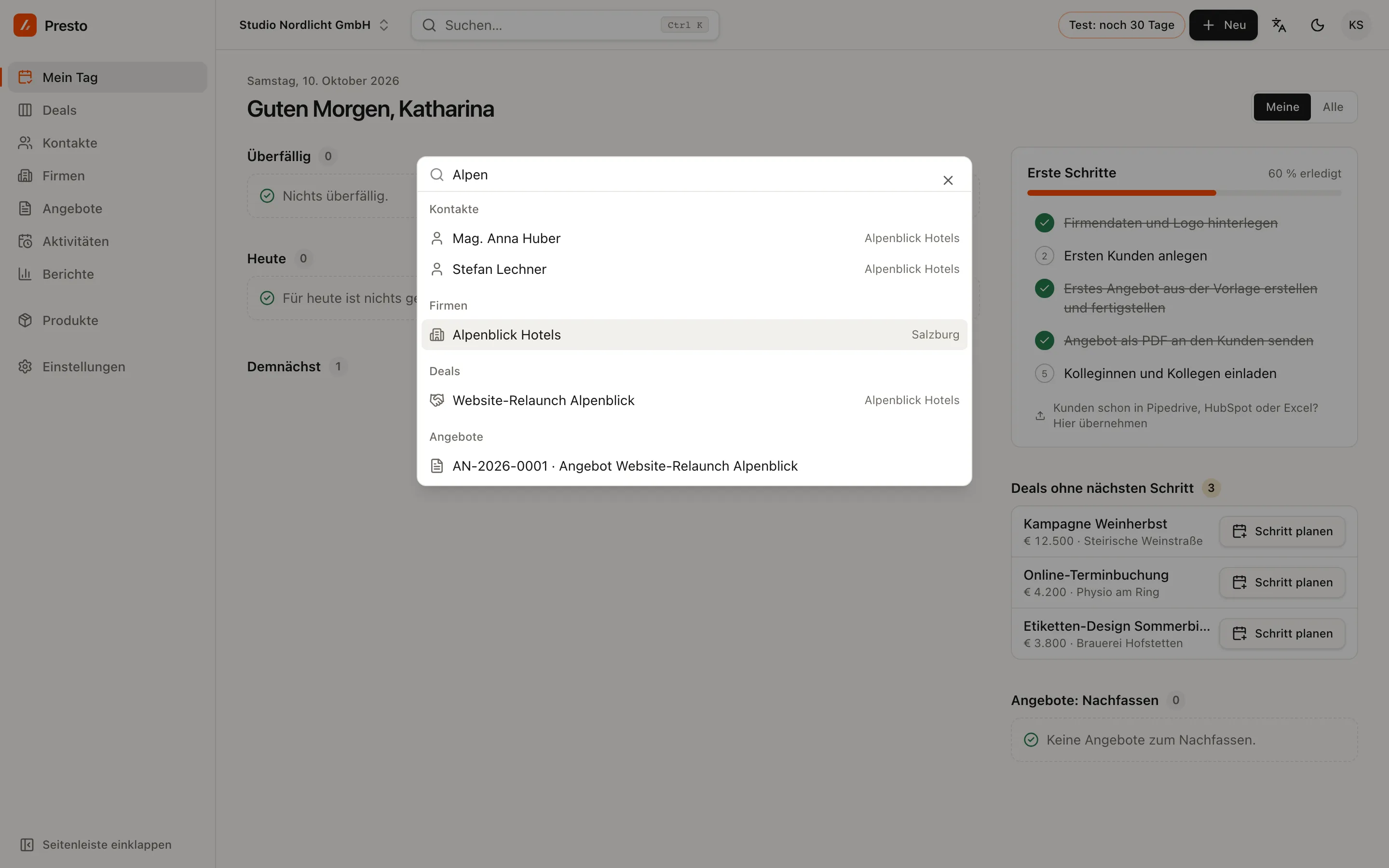
Type > at the start and search shows actions such as “New deal”.
Keyboard shortcuts
Press the keys one after the other, not at the same time:
| Shortcut | What it does |
|---|---|
| G T | Go to My day |
| G D | Go to Deals |
| G K | Go to Contacts |
| G F | Go to Companies |
| G A | Go to Quotes |
| N P | New person |
| N F | New company |
| N D | New deal |
| N A | New activity |
| N Q | New quote |
| / | Focus the list filter |
| ? | Overview of all shortcuts |
| Esc | Close the side panel or dialog |
On your phone
You can add PrestoCRM to your home screen as an app: on an iPhone in Safari via Share → Add to Home Screen, on Android via Install app in the browser menu. My day, Deals, Search and Contacts then sit at the bottom of the screen.